


Music Player: offline music
4.36.00 Reviews
App Specs
- Version
- 1.0.0
- Updated On
- License
- Free
- Downloads
- 100,000+
- Developer
- ICC Tech
- Categories
- Music & Audio
- Platform
- Android
Screenshots
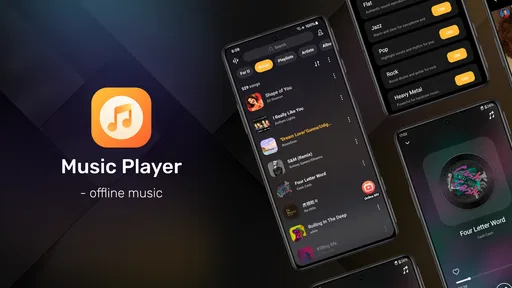
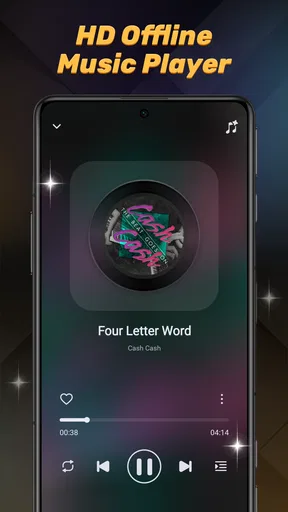
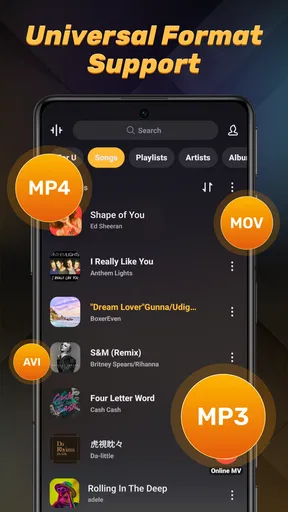
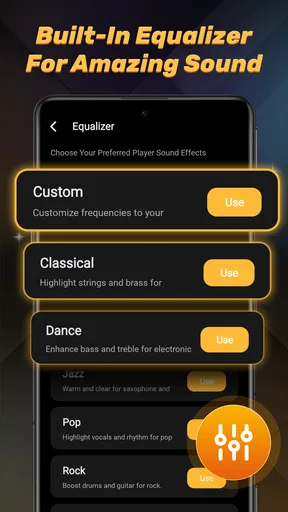
 Analysis by AppCompare
I’m usually wary of installing another music player: the first few minutes can feel promising, but the real test is whether it still earns a place on my phone once the novelty wears off. Music Player: offline music is aimed at a straightforward need—playing music stored on your device without depending on a streaming connection. That focus gives it an immediate, practical appeal, though it also means it should be judged as a local listening tool rather than a replacement for a streaming service.
In everyday use, the clearest reason to try it is control over music you already have. A downloaded collection can be useful on a commute with unreliable reception, during travel, or in places where you would rather not use mobile data. I’d also consider it for people who keep personal recordings or other audio files on their phone and want a dedicated place to listen. The app is free, is developed by ICC Tech, and sits in the music and audio category. Its listing describes it as a music player, while its more specific appeal is offline playback.
What feels useful after the first few sessions
I find the lasting value of a local player is easiest to judge after its first-week convenience turns into an ordinary habit. This section looks at whether saved music can remain useful without demanding constant attention, and why a small, deliberate collection may work better than trying to keep everything on the phone. Routine matters more than novelty when deciding whether it deserves a permanent place.
A simple role, rather than another music destination
The first-week appeal is easy to understand: an offline player does not ask me to build a new online listening habit. Its value depends on the music already available on the device, so I can think of it as a practical playback option rather than a catalogue to browse. That distinction matters. If you already have a well-organized collection, opening a local player can be quicker and more direct than searching a streaming library for an album you own.
There is also a useful change in expectations. I would not install this expecting recommendations, an ever-expanding catalogue, or a social layer. The point is to play local music. For a listener who wants to press play on familiar tracks without making a connection part of the routine, that narrower purpose can be a strength. For someone who mainly discovers new artists through playlists and algorithmic suggestions, it may feel limited almost immediately.
A practical first step is to decide what you want the app to handle before moving your whole listening routine over. Try it with a small, familiar part of your collection: a commute playlist, a few albums, or audio you keep for offline use. That makes it easier to judge whether its role fits your habits without turning setup into a project. If you find yourself reaching for it naturally, you can make it part of your regular routine; if not, there is little reason to reorganize everything around it.
The everyday scenario that makes offline playback worthwhile
Imagine leaving home with a phone that has a few albums saved locally and then heading through a route with patchy reception. A local player is useful precisely because the listening plan does not depend on a connection staying available. The same applies when you want to conserve mobile data or prefer not to stream while doing something else. In those moments, an offline player is not a novelty feature; it is a way to make music you already have reliably accessible.
Worth Reading Before You Choose

Flipboard Shows What News Apps Must Do Beyond the Feed

Switching to Android Auto Means Rethinking Your Driving Routine

Google Calendar Makes a Crowded Week Easier to Manage

Ludo King Makes the Most of the Minutes Between Plans

Baby Panda World Brings Quick Play to Modern Phones, but Its Game Library Feels Busy

ESPN’s Live Game View Makes Following Close Games Easier
One non-obvious benefit of separating local listening from streaming is that it can clarify which music you actually return to. I’d use a small, intentional offline selection for recurring situations—such as a short walk, focused work, or travel—rather than trying to recreate every streaming playlist. That approach keeps the collection manageable and makes a basic player more useful. It also avoids the common trap of spending longer arranging a library than listening to it.
There is a trade-off, though: offline playback only helps when the audio is already on the device in a form the app can use. If your listening life is almost entirely tied to a streaming account, a local player will not magically make that catalogue available offline. You would need to maintain your own files, and that extra step can outweigh the benefit for people who prefer the convenience of one subscription-based library.
How it compares with the usual alternatives
Compared with a streaming app, Music Player: offline music is best understood as a focused companion, not a direct substitute. Streaming services make it easy to search vast catalogues and discover unfamiliar music, but they center listening around an online account and service-specific features. A local player centers the files already on your phone. If I wanted new releases or a ready-made mix for every mood, I would choose a streaming service; if I wanted a simple route to music I have saved, an offline player makes more sense.
It also competes with whatever music player is already installed on a phone. Switching is worthwhile only if this app fits your routine better or gives you a clearer place for local audio. I would not move across simply because a new player is available. First, try it with the same small set of tracks you use often, then notice whether opening it and finding something to play feels more convenient. A replacement should reduce friction, not create a second library to maintain.
The app has a 4.4 average from around 900 ratings, and it has more than 100,000 installs. Those figures suggest that it has found an audience, but they do not tell me whether it suits a particular collection or listening style. I’d use them as a reason to consider trying it, not as a promise that it will outperform the player already on your device. It is free and rated for Everyone, which lowers the barrier to testing it for ordinary personal listening.
Keeping the routine light month after month
The long-term value of a local player often comes down to maintenance. Your phone’s music collection can change as you add files, remove albums, or make room for other things. A sensible habit is to keep a few dependable listening selections available rather than trying to preserve a perfect copy of every track you have ever collected. That reduces the work of deciding what belongs on the device and makes offline playback useful for the situations where it matters most.
A second helpful habit is to treat the app as the playback layer, not the place where every music decision must happen. Keep your files organized in whatever way already works for you, and use the player to listen rather than repeatedly reshuffling your collection. This is especially useful if you have audio with different purposes: personal recordings, albums, and a compact travel selection do not necessarily need to be managed as one giant queue. A clear division can make a modest local library feel more usable.
Because the app is an offline player, the recurring work is likely to come from the collection itself: adding the files you want on the phone and keeping enough storage available for them. That is a real cost in attention, even when no money is involved. If you like owning and arranging music, this can feel satisfying. If you want everything to appear automatically across devices, a service built around an online library will generally be the easier choice.
The current version is 1.0.0, and the minimum OS requirement is 7.0. That makes it useful to check compatibility before making it part of a long-term setup, particularly if you are choosing a player for an older device. I’d also avoid building an elaborate workflow around any new app on day one. First confirm that your everyday collection is accessible and that the app remains convenient for the way you listen; only then decide whether it deserves a permanent spot.
Where the routine may start to feel tiring
The main source of fatigue is not necessarily the act of pressing play; it is the responsibility of curating local music. Streaming listeners can rely on a service to supply a broad catalogue and often to organize discovery. With an offline-focused player, the available listening pool is the one you have brought to the device. If that collection feels stale, the app cannot solve the problem by introducing a new world of music. You will need to add or obtain the audio elsewhere.
Another possible frustration is splitting attention between multiple players. Keeping a local player alongside a streaming app can be sensible, but only if each has a distinct job. For instance, I might reserve this one for music saved on the phone and keep streaming for exploration. If both apps contain overlapping libraries and neither has a clear purpose, switching between them can feel like needless housekeeping. Decide which situations belong to the offline player before it becomes one more icon competing for attention.
I would also be cautious about assuming that a basic category label means the app will match every listener’s preferred controls or organization style. People who rely on a particular advanced workflow should test the actual experience with their own files before committing. A player can be perfectly adequate for casual listening and still disappoint someone who expects a highly customized library, a particular way of managing queues, or deep integration with a broader music setup. Choosing a simpler tool is worthwhile only when its simplicity matches what you need.
Who should give it a place on the phone
I’d recommend trying Music Player: offline music if you already keep audio files on your phone, want a dedicated way to listen without a connection, or would like a separate player for a compact collection. It is particularly sensible for people whose music habits repeat: the same albums on a commute, familiar tracks during a routine, or saved audio on a trip. In those cases, a small, stable selection can deliver more value than another source of recommendations.
I’d skip it as a primary music app if nearly all your listening starts with searching a large online catalogue, if you depend on personalized discovery, or if managing files sounds like a chore. It may still serve as a secondary option for audio you keep locally, but it should not be expected to replace the conveniences of a streaming service. Likewise, if your existing phone player already handles your saved music comfortably, installing another app may add maintenance without solving a real problem.
The developer is ICC Tech, and the app’s free price makes a low-commitment trial reasonable. I would judge it by a practical test: can I get to the music I want during an ordinary offline moment without having to rethink my whole library? If yes, it has a credible role. If the answer is no, its basic purpose is not enough to justify keeping it just because it sounded useful at first.
My long-term verdict
Music Player: offline music earns lasting space when local playback solves a recurring problem, not simply because a new player is available. Its strongest case is straightforward: music already on your phone can remain accessible without streaming being the center of the experience. For that reason, I see it as a practical utility and a possible companion to a streaming service, rather than an all-purpose destination for every kind of listening.
My advice is to start small, use it in one real offline situation, and see whether the habit sticks. If you reach for it again because it makes saved music easy to use, keep it. If you have to keep arranging files or switching between apps to make it worthwhile, choose a player or service that better matches your routine. The lasting value here is dependable access to music you already keep—not a promise to transform how you discover it.
Pros
- Plays locally stored music without an internet connection.
- Simple interface makes browsing and playback easy to learn.
- Useful playback controls include shuffle and repeat.
- Lets you create playlists for different listening moods.
- A practical option for listening without streaming data usage.
Cons
- Features may vary depending on the device and app version.
- Requires access to your device’s audio files to build a library.
- Local playback only; it does not provide a streaming catalog.
- Audio quality depends on the files stored on your device.
- A large music collection may take time to scan and organize.
FAQs for Music Player: offline music
What is Music Player: offline music, and what can it do?
Music Player: offline music is designed for listening to audio files stored on your device, so you can play your music without a mobile-data or Wi-Fi connection. Depending on the version, it may also offer library browsing, playlists, repeat and shuffle controls, and playback in the background. Check the app’s current store listing for the exact features available on your device.
Can I listen to music without an internet connection?
Yes. The main purpose of an offline music player is to play supported audio files that are already saved on your phone or tablet. It generally does not download songs from streaming services or provide a built-in catalog, so make sure your music files are available locally and in a compatible format before relying on offline playback. Internet access may still be used for ads or optional services.
How do I add songs to Music Player: offline music?
The app typically scans audio files stored on your device and displays them in its music library. You may need to grant access to music or audio files when prompted, and songs saved in unfamiliar folders might not appear until you refresh or rescan the library. If a track is missing, confirm that the file is stored locally, is not damaged, and uses a format the app supports.
Is Music Player: offline music free, and does it contain ads or in-app purchases?
Pricing and monetization can differ by platform, region, and app version. The app may be free to install while showing advertisements, with some features or an ad-free option offered through in-app purchases. Review the Google Play or App Store listing before downloading for current pricing, subscriptions, and purchase details. If you are concerned about accidental charges, check your device’s purchase settings.
Is Music Player: offline music safe, and what permissions does it need?
To find and play songs stored on your device, a music player generally needs permission to access audio files or media. It may also request notification access or other permissions for playback controls, depending on your device and the app’s features. Review the permission prompts and the store listing’s privacy information, and download only from an official app store to reduce security risks.


